We prepared a number of template repositories on Github, to get you started quickly on new projects.
Project management
For maintaining our templates we setup a project in this OpenProject account: https://conneo.openproject.com/projects/setup-and-maintain-github-templates/work_packages
For new templates, or changes to existing templates (sub)tasks will be added to this project and assigned to the responsible assignee.
Please do not change any Github template without a task in this project!
How to add a template to Github
For adding a new template to Github, first a new repository needs to be created within the ConneoSoftware organisation.
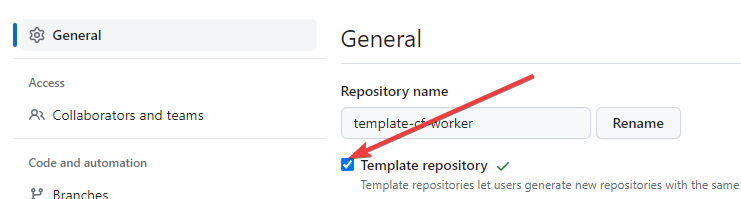
This repository needs to be set as "Template" in the repository settings:
Naming convention
Be sure to let the repository name start with "template-" to make clear it is a template repository.
How to use start a repository from a template?
To start a new repository from a template, add /generate to the template repository URL.
For example: https://github.com/ConneoSoftware/template-cf-worker/generate